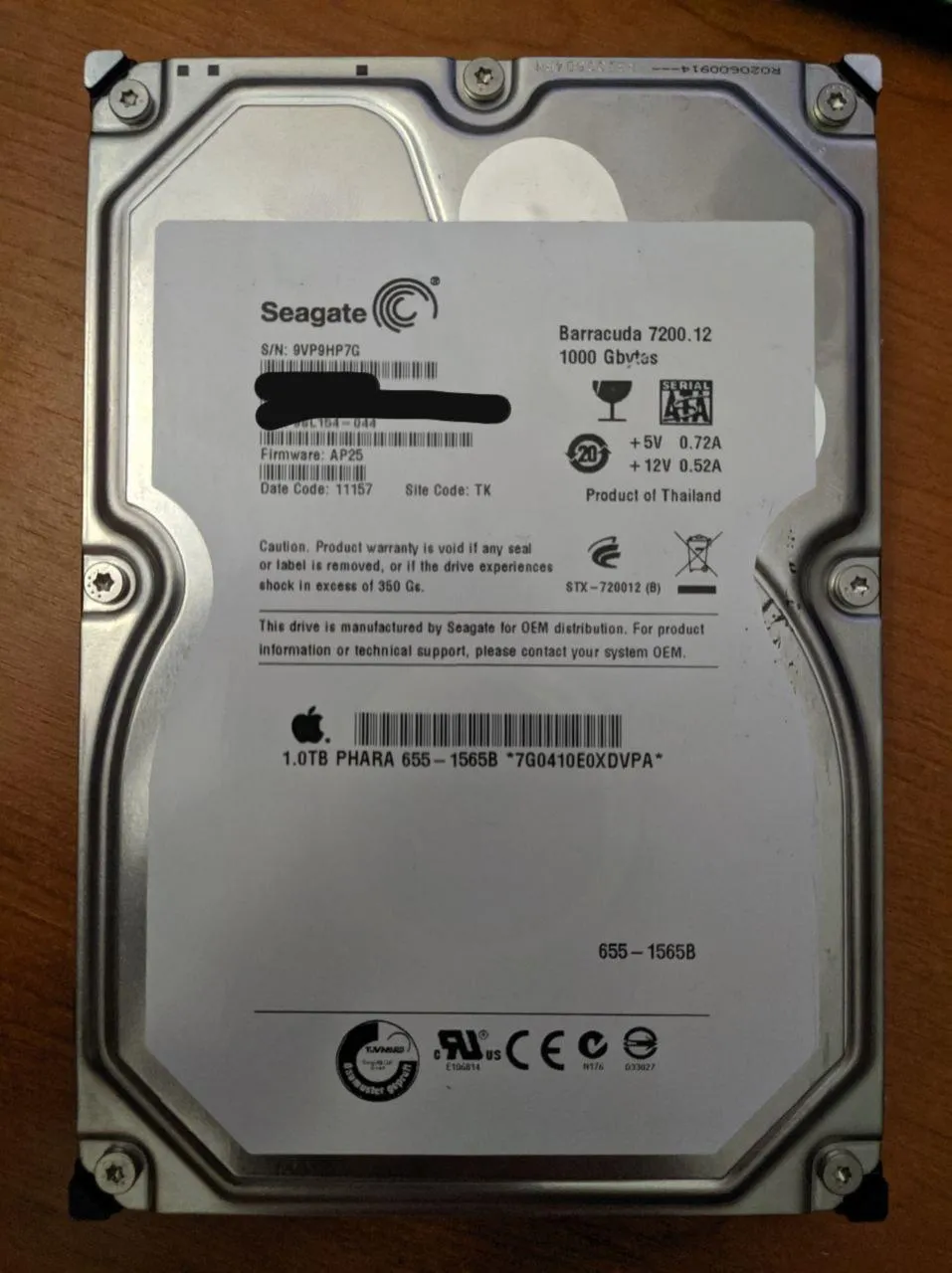
This afternoon I got my hands again on an old 1TB Seagate hard drive that was going to be perfect for my server (ST31000528AS).
Before trusting it, I checked its SMART state with smartmontools. There was a warning saying newer firmware might exist for the drive, along with a couple of links to Seagate’s site.
smartctl -a /dev/sdcSeagate offers a Windows .exe updater and a BIOS-bootable ISO with DOS. Before doing anything else, it is absolutely recommended to use those official methods. The ISO works perfectly, even on Macs.
Updating firmware for hardware like this is extremely important. Manufacturers do not release firmware unless they really need to, and this particular drive is famous for poor reliability.
But then we hit the actual problem, and the reason for this post.
My drive came from an iMac around 2012. It had Apple-customized firmware (AP25) instead of the standard firmware (CC49). Apple’s firmware reports drive temperature through the rear pins, emulating a thermistor.
The drive was making far too much noise and honestly sounded like it was about to die.
The Seagate updater refused to touch it. Seagate support told me that any newer firmware would have to come from Apple, not from them.
At the time I bought a new drive and moved on, and this one stayed in a drawer ever since.
Extra note about the special firmware: people who replaced the HDD in iMacs from that era with an SSD will remember the classic problem of the fans running at full speed. Shorting the two sensor pins fixes it and the “drive” reports “0 degrees”.
Nice story, but the disk still has its old firmware and still sounds like it is going to disintegrate. We need to de-Apple the drive and turn it back into a normal disk with up-to-date firmware.
The operation is fairly simple:
- Extract the update
.exe. - Figure out which firmware matches the exact drive model.
- Use
hdparmto flash the new firmware. - Fully power off the machine and turn it back on.
To extract the .exe there are many options. I simply opened it with the file-roller archive viewer.
Inside there are many files, but we only need the .LOD firmware files and the .CFS file. The CFS lists, line by line, a model number, its valid version or versions, the matching LOD file, and the version it will end up with after flashing.
However, it is encrypted, or at least encoded in a strange format. There are tools to decode it, but the easiest thing is simply to search for it online.
I found that my ST31000528AS needed the PHCC494H.LOD firmware. The difference between the LOD files in this release is the number of heads. In theory, with an identical drive opened up and counted, we could know which firmware is correct.
Newer firmware packages are named by drive capacity in TB, and in those cases the correct firmware is obvious.
The stock updater failed because Apple’s firmware version does not appear anywhere in the CFS list. In theory, we could modify the CFS so the stock updater would cooperate.
To flash it using Open Source tools that do not try to make the decision for you:
hdparm --yes-i-know-what-i-am-doing --please-destroy-my-drive --fwdownload PHCC494H.LOD /dev/sdXIt may appear to freeze near the end. Just leave it alone for longer. It will eventually print Done.
After that, completely power the machine off, wait a few seconds, and boot it again. The drive will now have the standard firmware, which you can verify with smartctl.
smartctl -a /dev/sdc                                                                                                                                                 :(
smartctl 7.0 2018-12-30 r4883 [x86_64-linux-4.19.79] (local build)
Copyright (C) 2002-18, Bruce Allen, Christian Franke, www.smartmontools.org

=== START OF INFORMATION SECTION ===
Model Family:     Seagate Barracuda 7200.12
Device Model:     ST31000528AS
LU WWN Device Id: 5 000c50 02cba891f
Firmware Version: CC49
User Capacity:    1,000,204,886,016 bytes [1.00 TB]
Sector Size:      512 bytes logical/physical
Rotation Rate:    7200 rpm
Device is:        In smartctl database [for details use: -P show]
ATA Version is:   ATA8-ACS T13/1699-D revision 4
SATA Version is:  SATA 2.6, 3.0 Gb/s
Local Time is:    Sun Oct 13 20:26:37 2019 CEST
SMART support is: Available - device has SMART capability.
SMART support is: Enabled
Success, CC49.
That said, the noise still seems to be the same. As for reliability, time will tell. But at least there is no strange Apple firmware left in the server, and that is always a plus.